
Last Updated: 15th October 2026
If you’ve opened Ads Manager and stared at the “Ad Setup” screen wondering what actually separates a Carousel ad from a Collection ad, or whether a Reels ad and a Stories ad are the same thing wearing different clothes — you’re not the only one. Meta now offers close to a dozen ad formats, and the names alone don’t tell you much.
This guide covers every Meta ad format available in 2026 — what each one looks like, what it’s actually good for, and which one to pick for your specific goal. No jargon, no detour into campaign objectives or Ads Manager settings — just the formats themselves. (If you’re comparing paid social against other paid channels, see our guide to native ad platforms for beginners — a different buying model with its own format logic.)
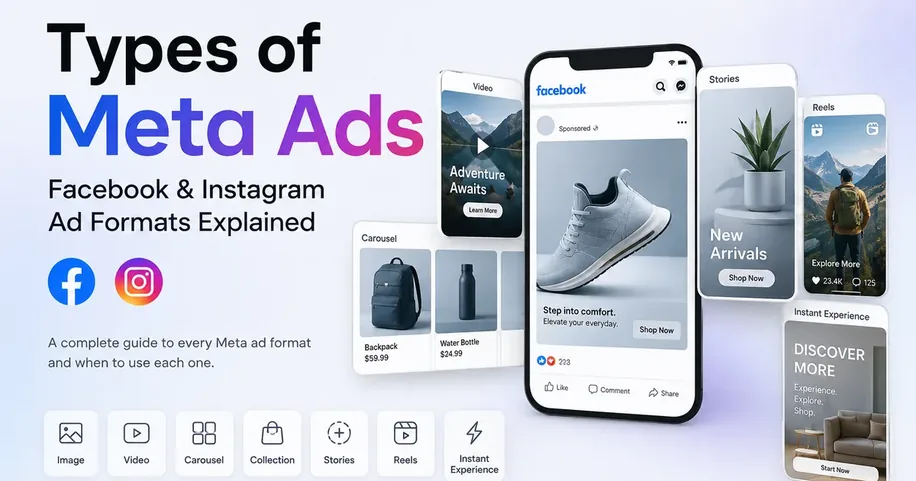
Quick answer: Meta offers seven main ad formats in 2026 — Single Image, Video, Carousel, Collection, Stories, Reels, and Instant Experience. Single Image and Video work in every placement and suit most beginners; Carousel and Collection are built for showing multiple products; Stories and Reels require native vertical (9:16) creative; Instant Experience is a full-screen, multi-block mini-site. The right format depends on your goal, not personal preference — see the decision table below. If your goal is comments, no format guarantees them. Reels and Video ads tend to draw the most, but only when the campaign is optimized for engagement and the creative gives people a reason to reply.
Jump to a section
- What Are Meta Ads?
- Types of Meta Ads (all 7 formats)
- Which Meta Ad Type Gets the Most Comments on Instagram Reels?
- Format vs Objective vs Placement
- Which Meta Ad Format Should You Choose?
- Meta Ad Format Specs (2026)
- Which Metrics to Track for Each Format
- Common Mistakes When Choosing a Format
- How to Create These Ads
- FAQs
01. What Are Meta Ads?
Meta ads are paid posts that run across Facebook, Instagram, Messenger, and Meta’s Audience Network, built and delivered through Meta’s advertising system rather than posted organically. Unlike a regular post, a Meta ad is tied to a budget, a target audience, and a specific format: the creative shape the ad takes, whether that’s a single photo, a video, or a swipeable set of cards.
The ads you see across Facebook and Instagram are all served by Meta’s ad system, which decides who sees which ad based on the advertiser’s setup and the ad’s creative. Format is just one piece of a Meta ad. The other two pieces — objective (what you want the ad to achieve) and placement (where it shows up) — get their own section below, because beginners mix these three up constantly, and mixing them up is where a lot of wasted ad spend starts.
For now: this guide is about format — the actual visual thing the viewer scrolls past or taps on.
02. Types of Meta Ads( All 7 Formats)
Here are the ad formats available in Meta Ads Manager in 2026, ordered from simplest to most involved. These are the same formats whether you’re running them as Facebook ads or Instagram ads, which is why people searching for “types of Facebook ads” and “Instagram ad formats” end up in the same place
2.1. Single Image Ads
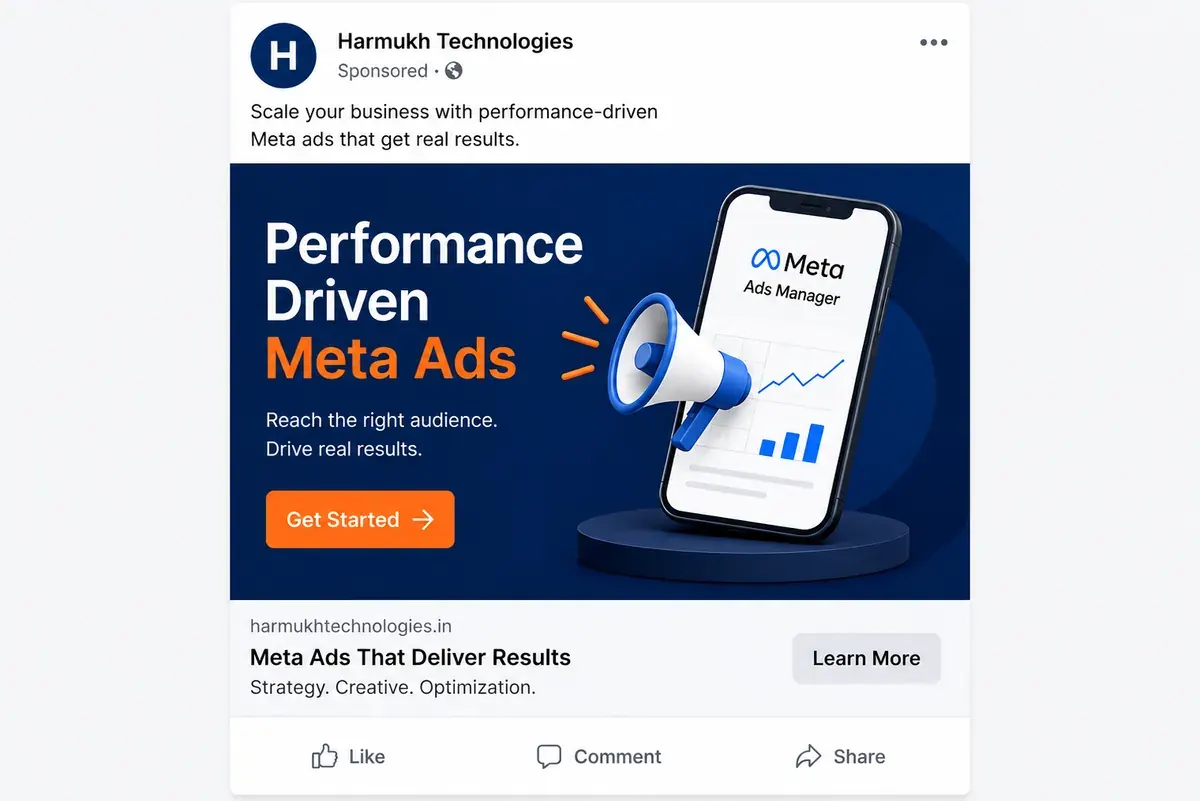
The simplest format Meta offers — one static image, a headline, some primary text, and a call-to-action button. It renders consistently everywhere, which makes it the fastest format to produce and the easiest to test.
- Best for: Simple offers, single products, announcements, retargeting people who already know your brand
- Format: One static image
- Good for: Awareness, traffic, conversions
2.2. Video Ads
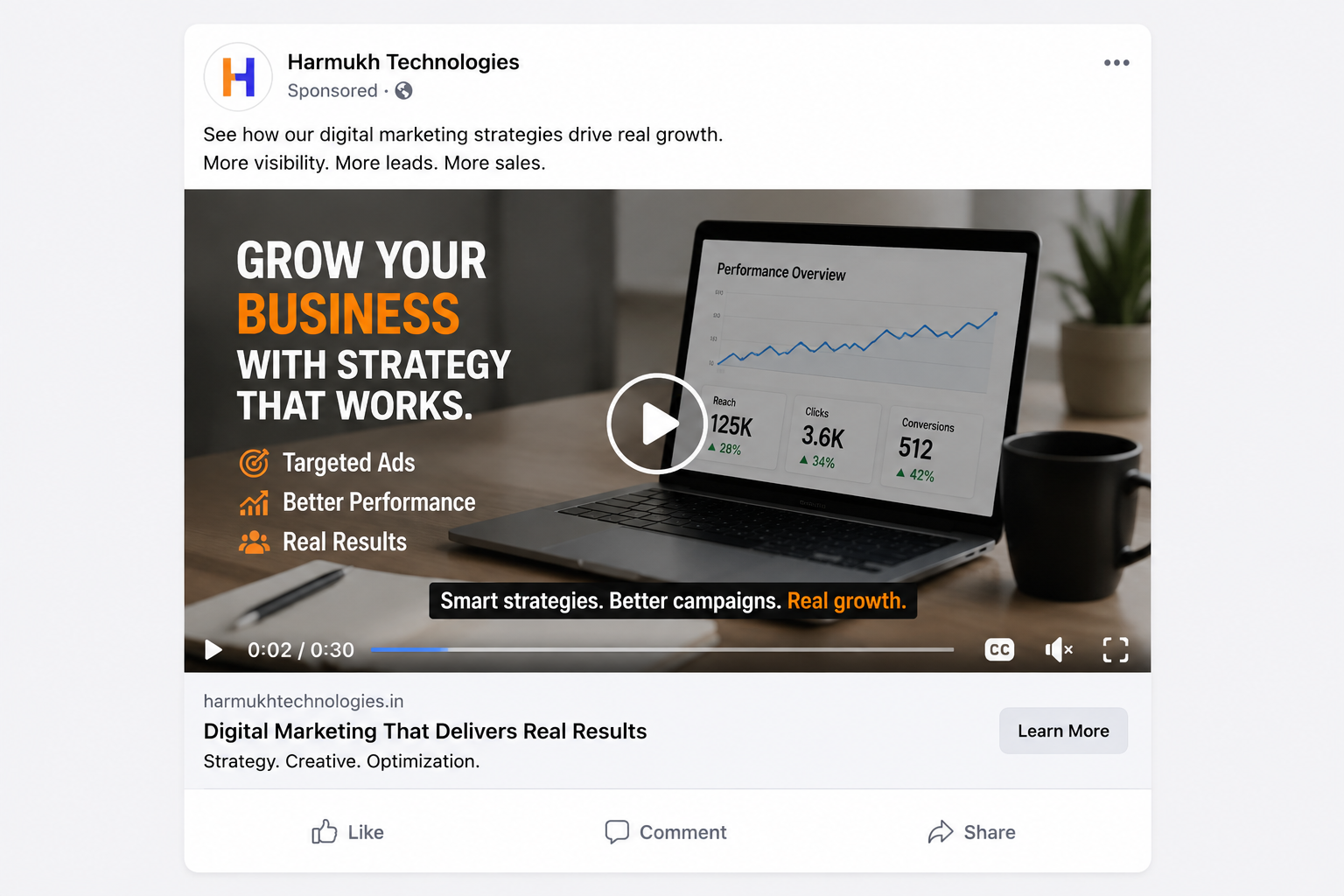
Video can run from a few seconds to several minutes, but Meta’s own delivery data consistently shows the first 3 seconds decide whether someone keeps watching. Video ads generally beat static images for reaching cold audiences and explaining something that a single photo can’t.
- Best for: Demonstrations, storytelling, product explanations
- Format: Video (with captions — most Feed video is watched on mute)
- Good for: Awareness, consideration, brand recall
2.3. Carousel Ads
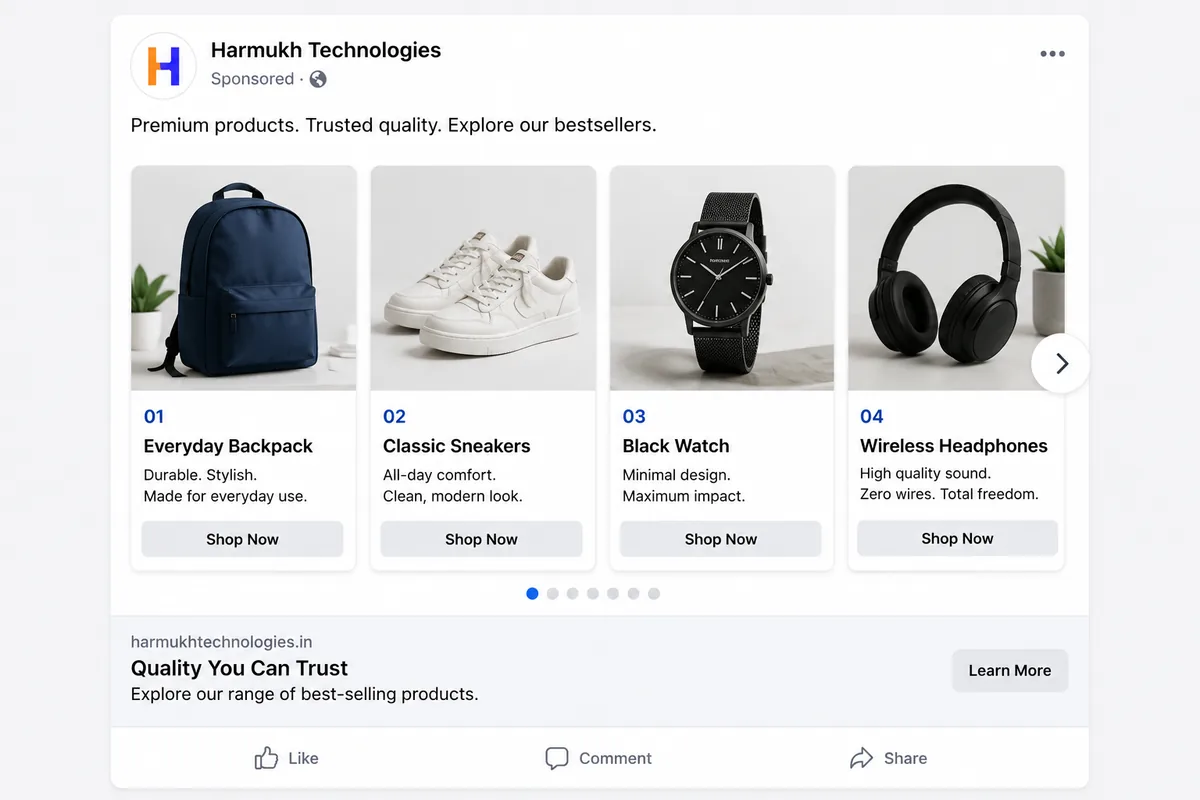
Carousel ads show 2–10 swipeable cards in one ad unit, each with its own image, headline, and link. Every card can point to a different page — so a Carousel can showcase a whole product range, walk through the steps of how something works, or tell a story one card at a time.
- Best for: Multiple products, multiple features, step-by-step explainers
- Format: 2–10 swipeable cards, each independently linkable
- Good for: Catalogue browsing, feature comparisons, retargeting with a curated product set
2.4. Collection Ads
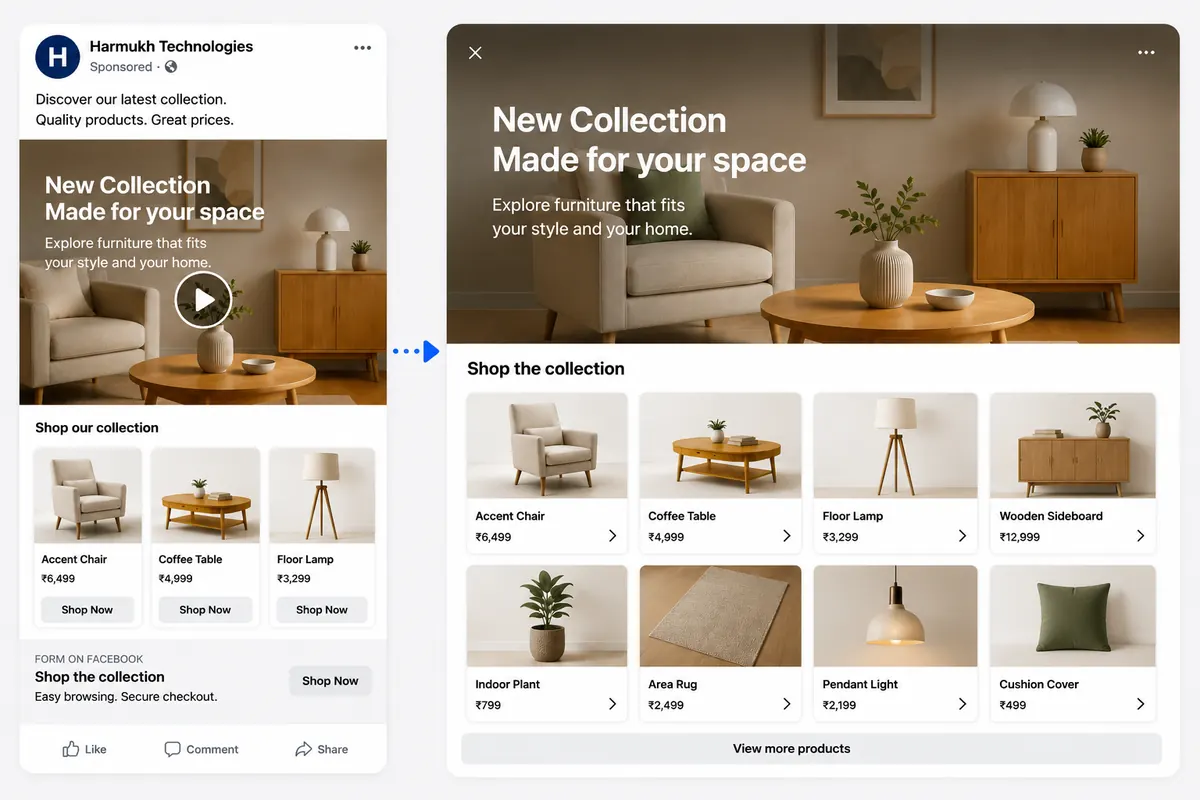
Tapping a Collection ad opens a full-screen catalogue experience inside the Meta app — a hero image or video sits above a grid of products pulled straight from your catalogue. Nothing loads in an external browser, which removes a lot of the friction that kills mobile purchases.
- Best for: E-commerce catalogues — fashion, home goods, electronics
- Format: Hero image/video + product grid, powered by a connected product catalogue
- Good for: Mobile shopping, browsing behaviour, conversions
- Requirement: A product catalogue connected to your Meta Business account — not available for businesses without one
2.5. Stories Ads
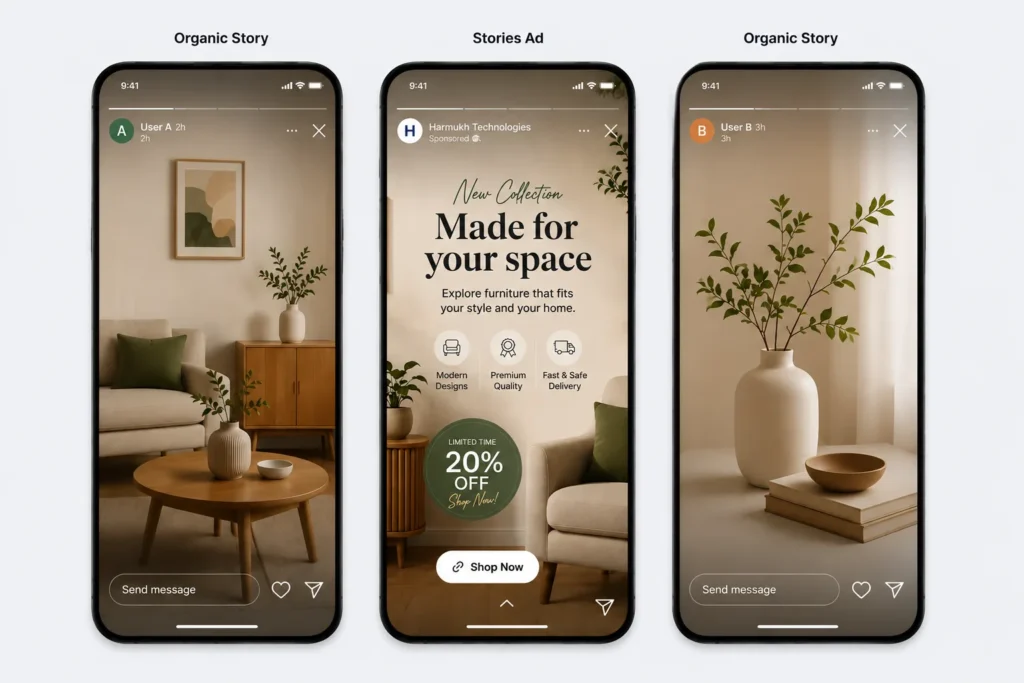
Full-screen, vertical (9:16), and shown between people’s organic Stories on Facebook, Instagram, and Messenger. There’s no competing content on screen, but that also means creative repurposed from Feed — square images with black bars — consistently underperforms creative built natively for the format.
- Best for: Time-sensitive offers, promotions, younger audiences
- Format: Full-screen vertical (9:16), native to the format — not repurposed Feed creative
- Good for: Awareness, urgency-driven offers
2.6. Reels Ads
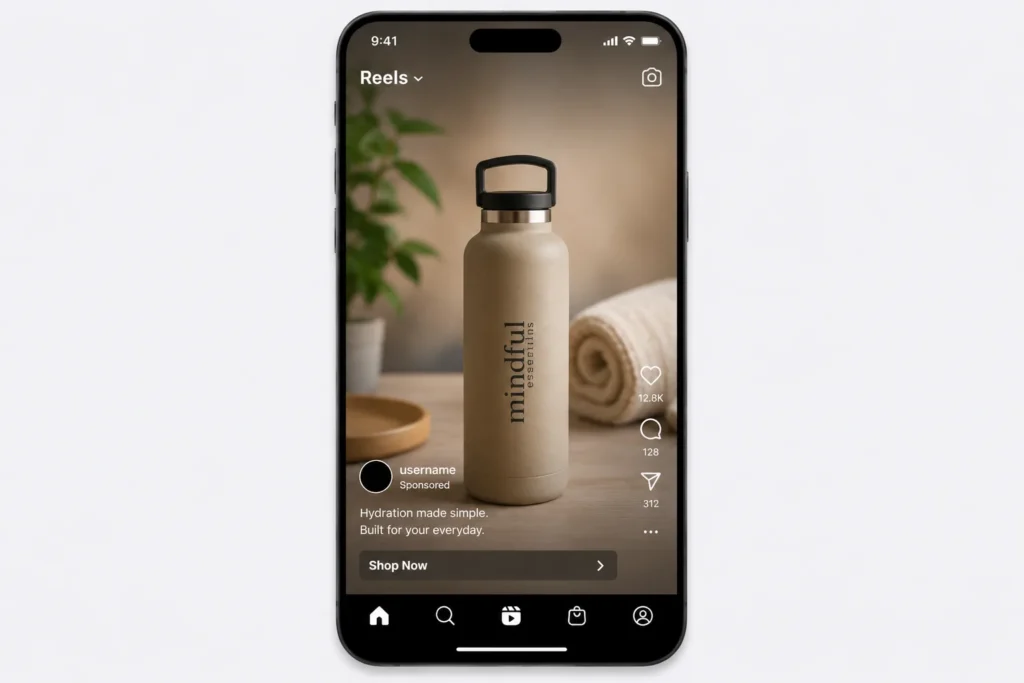
Reels ads sit inside the Reels feed itself, formatted as vertical video. This is Meta’s fastest-growing ad inventory and it currently runs cheaper CPMs than Feed in most markets — but the audience has close to zero tolerance for anything that feels like a traditional ad rather than native Reels content.
- Best for: Brands with genuine short-form video skills, 18–35 audiences
- Format: Full-screen vertical video, optimal length 15–30 seconds
- Good for: Reach, awareness, lower-cost impressions, and (with the right objective) comments and engagement
2.7. Instant Experience (Canvas) Ads
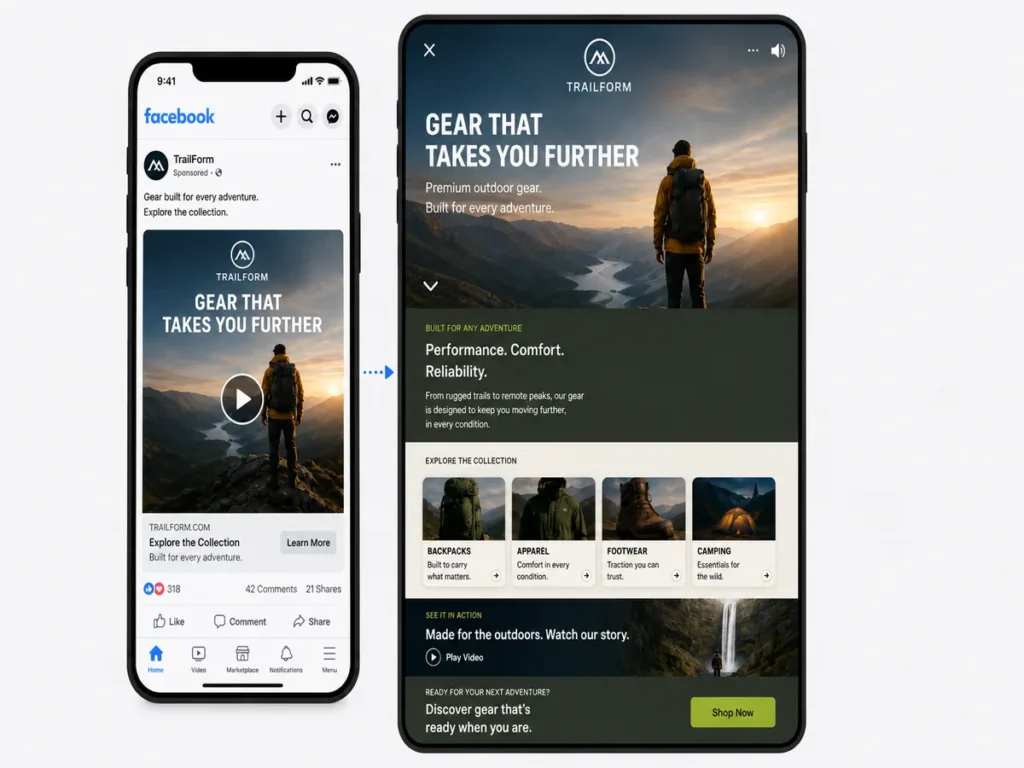
Instant Experience isn’t a single creative — it’s a full-screen mini-site made of text, images, video, and Carousels that loads instantly inside the Meta app when someone taps your ad. It behaves like a branded landing page without the load-time penalty of sending mobile traffic to an external site.
- Best for: Brand storytelling, product launches, richer campaigns without an off-platform landing page
- Format: Multi-block, full-screen, built from other formats combined
- Good for: Consideration, immersive brand experiences
03. Which Meta Ad Type Gets the Most Comments on Instagram Reels?
This is one of the most common questions advertisers ask when they open Ads Manager, and it’s rarely answered directly.
Short answer: No single ad format guarantees comments, and Meta doesn’t publish a ranking of formats by comment volume. In practice, Reels ads and Video ads tend to draw the most comments, because viewers are already in a scroll-and-react habit. But that only happens when two other things are in place: an engagement-focused objective, and creative that gives people a reason to reply.
Why format matters less than you’d think
Comments come from three levers, and format is only one of them:
- Objective and optimization goal. A campaign built for Sales or Traffic optimizes for people who click or buy, not people who comment. If comments are the goal, choose an Engagement objective and optimize for post engagement, so Meta shows the ad to people who tend to interact with ads.
- The creative prompt. Ads that ask for a reply get replies. A direct question, a two-option choice (“A or B?”), a polarizing opinion, or a “comment [keyword] and we’ll send it” call to action all outperform ads that simply describe a product.
- The format. This sets how much room people have to react.
How each format compares for comments
| Format | Comment potential | Why |
|---|---|---|
| Reels | High | Native comment-reading habit, short and watchable, built for reactions |
| Video | High | Holds attention long enough to prompt a reaction |
| Single Image | Medium | Works well with a direct question or contest-style prompt |
| Carousel | Medium | Swipe interactions compete with comments, but a "pick your favourite card" prompt can work |
| Stories | Low | Replies go to private messages, not public comments |
| Collection | Low | Sends people into a shopping screen |
| Instant Experience | Low | Sends people into a mini-site |
Treat this table as a starting hypothesis, not a rule. Account size, audience, offer, and creative quality all change the result.
What makes a Reels ad actually earn comments
- Open with the hook in the first 3 seconds, then pose the question before the video ends, not in the caption alone.
- Ask one specific question. “Which of these would you pick?” beats “What do you think?”
- Use a comment-triggered offer where it makes sense: “Comment GUIDE and we’ll send the checklist.” Keep it honest and make sure you can fulfil it.
- Make it feel native. Vertical, captioned, trending or original audio, no polished TV-ad look.
- Reply to comments quickly. Active threads encourage more replies and make the ad look alive to later viewers.
- Moderate, don’t delete. You can hide or remove spam and abusive comments from the ad’s post, but removing every critical comment makes the thread look staged.
How to find your best format for comments, using your own data
Your account’s data is a better answer than any general rule:
- Open Ads Manager and go to the ad level of your campaign.
- Click Breakdown and choose By Delivery → Placement to compare Reels with Feed and Stories, or compare ads by creative type.
- Open Columns → Customize columns and add Post comments, Post engagements, and Cost per post engagement.
- Compare formats at the same objective and similar spend. Comparing a Sales campaign with an Engagement campaign tells you about the objective, not the format.
If Reels ads consistently show a lower cost per comment than your Feed ads in your account, that’s your answer for your business.
04. Meta Ad Formats vs Objectives vs Placements
Beginners mix these three up constantly, so here’s the difference in one line each:
- Format is what the ad looks like — image, video, carousel, and so on. This page.
- Objective is what you want the ad to achieve — awareness, traffic, leads, sales. You choose this at the campaign level in Ads Manager, before you touch any creative.
- Placement is where the ad shows up — Facebook Feed, Instagram Stories, Reels, Messenger, Audience Network.
None of these three lock you into the others. A Video ad can run under an Awareness objective in Feed placement, or a Sales objective in Reels placement. What changes is the ratio of success: some formats are simply built for some placements (Stories and Reels expect vertical video, not a repurposed square image), and some formats support some objectives better than others (Collection ads need a product catalogue, so they only make sense under a Sales objective).
Think of format as the outfit, objective as the destination, and placement as the room it’s worn into — you can technically mix and match, but some combinations just work better than others.
One 2026-specific wrinkle: Meta’s Andromeda update — an AI-driven ad retrieval and ranking system that finished rolling out across most objectives and placements by late 2025 — shifted delivery from audience-based targeting (interests, demographics, lookalikes) toward creative-based targeting: the system now reads your ad’s creative itself to predict who’s likely to respond, rather than relying mainly on the audience you defined. That doesn’t remove the need to understand formats; it raises the bar on creative diversity within whichever format you choose, since the algorithm is judging your creative more heavily than before. We break this down in Meta Andromeda Update Explained.
05. Which Meta Ad Format Should You Choose?
A quick decision table if you just want the fast answer:
| Your Goal | Best Format | Why |
|---|---|---|
| Simple product or offer announcement | Single Image | Fastest to produce, works everywhere |
| Explaining or demonstrating something | Video | Only format that shows how something works |
| Showing multiple products or features | Carousel | Each card links to a different page |
| E-commerce catalogue browsing | Collection | Full-screen, catalogue-powered, no external load |
| Time-sensitive promo, younger audience | Stories or Reels | Full-screen, low CPM, immersive |
| Rich brand experience without a landing page | Instant Experience | Loads instantly inside the app |
| Retargeting warm audiences | Carousel or Single Image | Fast to scan, easy to test variations |
If you’re still unsure, start with a Single Image or Video ad — they’re the cheapest to test, run in every placement, and give you a performance baseline before you invest time in Carousel or Collection builds. Think of these two as your control group: you don’t know if a Carousel or Collection ad is actually earning its extra production effort until you know what a plain Single Image ad does first.
06.Which Metrics to Track for Each Format
Picking a format is only step one — each one lives or dies by a different metric, so watch the right number:
- Single Image: CTR and CPC — a static ad’s whole job is earning the click cheaply.
- Video: Hook Rate and ThruPlay Rate first, CTR second — a video with great CTR but a weak Hook Rate is winning on the thumbnail, not the content.
- Carousel: Outbound CTR per card if your platform reports it — a low overall CTR can hide one card doing all the work.
- Collection: Landing Page View Rate and Add to Cart Rate — since it skips your external site, the “page” is Meta’s own shopping screen.
- Stories / Reels: Frequency and CPM — these placements burn through inventory fast; watch for early fatigue.
- Instant Experience: Time spent / block-level engagement rather than a single CTR.
Engagement-focused ads (any format): Post comments, post engagement rate, and cost per post engagement. These are the numbers that tell you whether your creative is actually starting conversations.
For the full formulas and benchmarks behind every one of these, see our complete Meta Ads metrics list — 100 metrics with formulas and real examples, including current 2026 CTR and CPM benchmarks by category.
07. Common Mistakes When Choosing a Format
- Reusing Feed creative in Stories or Reels. A square image with black bars bolted on top consistently underperforms creative built natively for vertical, full-screen placements.
- Running Collection ads without a clean catalogue. If your product feed has broken images, missing prices, or out-of-stock items, Collection ads will surface those errors directly to shoppers.
- Treating Carousel as “more of the same.” Each card should earn its own swipe — a Carousel of near-identical product shots performs worse than a single strong Image ad.
- Ignoring safe zones on Stories/Reels. Text or logos placed in the top or bottom ~14% of the frame get covered by the UI (profile name, CTA button, captions).
- Picking a format before an objective. Format should follow what you’re trying to achieve, not the other way around — see the Format vs Objective vs Placement section above if that’s still fuzzy.
Expecting comments from a Sales campaign. If comments and conversation are the goal, the objective has to match, and the creative has to ask for them.
08. How to Create These Ads
Every format above is built inside Meta Ads Manager, at the ad level of a campaign — after you’ve chosen your objective and audience. Ads Manager also decides which entry point actually gives you full control over format, versus the simplified Boost Post and Instagram Promote buttons, which limit which formats you can even use.
Walking through Ads Manager’s full setup — campaign structure, objectives, Boost vs Ads Manager vs Advantage+ — is its own topic, so we’ve kept that separate: Facebook Ads Manager vs Boost Post: Which Should You Use?
If you’d rather learn the full setup process end-to-end, our Meta Ads course guide for 2026 covers structured training paths, and our performance marketing campaign setup guide walks through campaign structure, tracking (CAPI/Pixel), and budgeting in full. Prefer to hand it off? Our Meta Ads management service covers format selection, creative production, and campaign management end-to-end.
09. Frequently Asked Questions
What are the main types of Meta ads?
The core formats are Single Image, Video, Carousel, Collection, Stories, Reels, and Instant Experience. Each has a different creative structure and fits different goals — a Carousel suits multiple products, while a single Video ad suits demonstrations and storytelling.
How many types of Meta ads are there?
Seven main formats: Single Image, Video, Carousel, Collection, Stories, Reels, and Instant Experience. Meta also offers variations on these, such as lead-generation and catalogue versions, but they’re built from the same seven.
What are the types of Facebook ads?
Facebook and Instagram ads share the same formats, because both are bought through Meta Ads Manager. On Facebook, the ones that matter most are Single Image, Video, Carousel, Collection, and Stories. Reels and Stories also run on Instagram.
What ad type brings the most comments on Instagram Reels?
Reels and Video ads tend to draw the most comments, but format alone doesn’t decide it. Use an Engagement objective, open with a strong hook, and ask one specific question or use a comment-keyword prompt. Then check Post comments and Cost per post engagement in Ads Manager to see which format works best in your own account.
Which Meta ad format converts best?
There’s no single best format — it depends on your goal and creative assets. Collection and Carousel ads tend to convert well for e-commerce with a product catalogue; Video and Single Image ads tend to work better for lead generation and simple offers.
Can I use the same creative across all formats?
Not well. Stories and Reels expect native vertical (9:16) video — a square Feed image with black bars added on top consistently underperforms creative built for the format from the start.
Do I need a product catalogue for Collection ads?
Yes. Collection ads pull products directly from a catalogue connected to your Meta Business account. Without one, Collection isn’t available as an option.
What's the cheapest Meta ad format to start with?
Single Image ads are the fastest and cheapest to produce and test — one photo, a headline, and a CTA. They’re a good baseline before investing time in Carousel or Collection builds.
Are Reels ads worth it in 2026?
Reels is Meta’s fastest-growing placement and currently has lower CPMs than Feed — but only for brands that can produce genuine short-form video. Repurposed product photography with text overlays typically underperforms here.
Which metrics should I check once my ad is live?
It depends on the format — video ads should be judged first on Hook Rate and ThruPlay, image ads on CTR and CPC, and Collection ads on Landing Page View Rate. See our complete Meta Ads metrics list for formulas and 2026 benchmarks for all of these.
Running Meta Ads and not sure which format fits your offer?
At Harmukh Technologies, we build and test Meta ad creative across formats for clients in India, the UAE, the UK, and Australia. Get in touch for a free creative and format audit, or explore our Meta Ads management service.