
You spent money getting someone to your website. They browsed, looked interested — then left without converting. That is not a failed campaign. That is an unfinished conversation. Meta remarketing ads exist to finish it.
Remarketing on Facebook and Instagram lets you show targeted ads exclusively to people who already know your brand — website visitors, video viewers, lead form openers, Instagram profile visitors — and bring them back at the exact moment they are ready to buy. In every client account we manage at Harmukh Technologies, remarketing audiences consistently deliver the lowest cost-per-lead and the highest ROAS of any campaign type.
This guide breaks down how Meta remarketing works, which audience types drive the most conversions, how to structure your retargeting funnel, and the creative strategies that actually move warm leads to action.
In This Article
- What Is Meta Remarketing & Why It Works
- How the Meta Pixel Enables Retargeting
- The 5 Custom Audience Types That Drive Conversions
- Building a 3-Stage Remarketing Funnel
- Ad Creative Strategy for Remarketing Campaigns
- Campaign Settings & Bidding for Remarketing
- 7 Remarketing Mistakes That Kill Conversions
- Frequently Asked Questions
What Is Meta Remarketing & Why It Works
Meta remarketing ads are paid advertisements on Facebook and Instagram that target people who have already interacted with your brand in some way — visited your site, watched your video, opened your lead form, followed your page, or made a past purchase. Instead of starting cold, you are re-engaging people who already have some awareness of what you offer.
The psychology is straightforward: most people do not buy on the first touch. Research consistently shows that B2C decisions take 2–4 touchpoints; B2B decisions often need 7 or more. Remarketing closes that gap by keeping your brand visible and relevant during the consideration phase — right when a potential customer is comparing options, second-guessing, or waiting for the right moment.
The performance data backs this up. Across industries, retargeting campaigns on Meta routinely outperform prospecting campaigns on every key metric:
| Metric | Cold Audience (Prospecting) | Warm Audience (Remarketing) |
|---|---|---|
| Click-through rate (CTR) | 0.5–1.5% | 2–5% |
| Conversion rate | 1–3% | 5–15% |
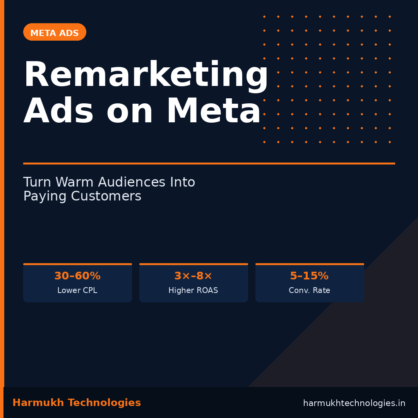
| Cost per lead (CPL) | Baseline | 30–60% lower |
| ROAS | 1×–3× | 3×–8× (or higher) |
Remarketing is not a replacement for prospecting — you still need cold campaigns to fill the top of your funnel. But remarketing is where budget efficiency lives, and in most accounts it should represent 20–40% of your total Meta ad spend.
How the Meta Pixel Enables Retargeting
The foundation of Meta remarketing is the Meta Pixel — a JavaScript snippet installed in the <head> of your website. When a user lands on any page of your site, the Pixel fires and records a PageView event. As they navigate, it can track additional Standard Events such as:
- ViewContent — visited a specific product or service page
- AddToCart — added something to the cart (e-commerce)
- InitiateCheckout — started but did not complete checkout
- Lead — submitted a contact or lead form
- Purchase — completed a transaction
- CompleteRegistration — signed up for a trial, webinar, or programme
If the visitor is logged into Facebook or Instagram, Meta matches the browser cookie to their account. This matching is what makes remarketing audiences possible: you can now create a Custom Audience of “everyone who visited /services/google-ads/ in the last 30 days but did not submit the contact form.”
For businesses not relying solely on the Pixel, Meta also supports the Conversions API (CAPI), which sends event data directly from your server to Meta — bypassing iOS privacy restrictions and browser-level ad blockers. If you are running serious ad spend, CAPI + Pixel in parallel is non-negotiable for data accuracy.
Harmukh Tip
Set up the Meta Pixel on day one — even before you run a single ad. The Pixel needs time to build audience pools. Waiting until you “need” remarketing means starting from zero when you are ready to scale.
The 5 Custom Audience Types That Drive Conversions
Not all warm audiences are equal. Here are the five Custom Audience types available inside Meta Ads Manager and how to use each one strategically.
1. Website Custom Audiences
Built from Pixel data. You can create audiences based on all website visitors, visitors to specific pages (your pricing page, a services page, a product listing), visitors who spent more than a certain amount of time on your site, or visitors who completed (or didn’t complete) a specific event.
Conversion strategy: Create a “high-intent” audience of people who visited your pricing or contact page but did not submit a lead form. This is your warmest possible pixel audience — retarget them aggressively with direct-response creative and a strong CTA.
2. Customer List (Email/Phone Upload)
Upload your existing CRM email list or phone numbers. Meta hashes and matches them against its user base. Typical match rates are 40–70% depending on data quality.
Conversion strategy: Upload your leads-not-yet-converted list. These are people who expressed interest (called, emailed, filled a form) but never bought. Show them a time-limited offer or social proof ad to re-activate them.
3. Video View Audiences
Retarget people who watched a certain percentage (25%, 50%, 75%, 95%) of your Facebook or Instagram video. Those who watched 75%+ are showing genuine interest and are strong remarketing candidates.
Conversion strategy: Run a low-budget awareness video to cold audiences. Then retarget 75%+ viewers with a lead generation or conversion campaign. This two-step approach pre-qualifies the audience before you spend on conversion.
4. Engagement Audiences (Instagram & Facebook)
Target people who engaged with your Instagram profile, Facebook Page, or individual posts — likes, comments, shares, profile visits, DMs, or ad clicks — in the last 1, 7, 30, 60, or 90 days.
Conversion strategy: This is especially powerful for local and service businesses that build organic engagement. Someone who commented on your post already trusts you enough to interact. Hit them with a specific offer or testimonial ad.
5. Lead Form Abandonment
Meta tracks people who opened your Instant Experience or Lead Form ad but did not complete it. These are your hottest prospects — they literally started to raise their hand.
Conversion strategy: Retarget form openers within 3–7 days with a different creative that addresses objections or adds urgency. A simple “Spots are limited — complete your enquiry” message can recover 15–25% of abandons.
Building a 3-Stage Remarketing Funnel
Remarketing is not a single ad. It is a sequenced funnel that moves people from awareness of their problem to certainty in your solution. Here is the structure we use at Harmukh Technologies for service-based and high-consideration businesses.
Stage 1 — MOFU (Middle of Funnel)
Educate & Build Trust
Audience: All website visitors (7–30 day window), video 25%+ viewers, page engagers.
Ad goal: Traffic or Engagement.
Creative: Value-first content — a how-to video, a case study, a client result, a behind-the-scenes reel.
Objective: Reinforce brand credibility. Not selling yet. Let them recognise you.
Stage 2 — BOFU (Bottom of Funnel)
Convert With a Strong Offer
Audience: Service page visitors, pricing page visitors, video 75%+ viewers (7–14 day window).
Ad goal: Leads or Conversions.
Creative: Direct-response. Lead with the transformation, include social proof (specific results, testimonials), strong CTA.
Objective: Get the enquiry, form submission, or purchase.
Stage 3 — Re-engagement
Win Back Lost Leads
Audience: Form abandoners, past enquirers not converted, 30–90 day website visitors who dropped off.
Ad goal: Leads.
Creative: Objection-handling ad, limited availability message, “Here’s what you’re missing” angle, or a new offer.
Objective: Re-activate dormant interest before the lead goes cold permanently.
Each stage uses a separate campaign with its own budget and creative. Use Audience Exclusions to stop people from seeing Stage 1 ads after they have converted to a Stage 2 audience, and exclude existing customers from all stages. This keeps the funnel clean and prevents wasted spend.
Ad Creative Strategy for Remarketing Campaigns
The biggest mistake businesses make with remarketing is running the same ad they show to cold audiences. Warm audiences need different messaging. They already know who you are — they need a reason to act.
Show Them What They Left Behind
For service businesses: reference what they were looking at. “Still thinking about improving your Google Ads performance?” is more compelling than a generic “Contact us” message. Dynamic Creative on Meta can help personalise this at scale.
Lead With Social Proof
Warm leads are in the evaluation stage. A specific, believable client result (“We helped a Kashmir-based tour company generate ₹1.5 crore in Year 1 from a standing start”) reduces hesitation faster than any feature list. Use real numbers, real testimonials, real screenshots.
Use Multiple Formats
Rotate creative formats to combat fatigue. For a 30-day remarketing window, use at least 3–4 distinct creative executions: a static image with a strong headline, a video testimonial, a carousel showing your process or portfolio, and a text-heavy “letter” style ad. Frequency above 4–5 impressions per week with the same creative will kill your CTR.
Address Objections Directly
Know why people do not convert and write ads that neutralise those objections. Common objections for agencies: “Is this too expensive?”, “Will this work for my industry?”, “How long before I see results?” Make one ad per objection. Test which one moves the needle.
Add Urgency Without Being Fake
If you genuinely have limited capacity or a real deadline — use it. “We take on 3 new clients per month. 2 spots are currently available.” is honest and effective. Manufactured fake scarcity destroys trust with warm audiences who are already evaluating you carefully.
Campaign Settings & Bidding for Remarketing
Getting the audience right is half the battle. The other half is setting up the campaign correctly so Meta’s algorithm can do its job.
Campaign Objective
For lead generation: use the Leads objective with Instant Forms or the Conversions objective pointing to a landing page with a Pixel-tracked thank-you event. Do not use Traffic for conversion-focused remarketing — you are paying for clicks, not leads.
Audience Windows
Match the window to your sales cycle. For fast-decision products (e-commerce, consumer services): 7–14 days. For high-consideration services (agencies, consultants, real estate, education): 30–60 days. Beyond 90 days, intent tends to decay.
Budget & Bidding
Remarketing audiences are small. Do not over-budget a small audience — you will spike frequency and burn out the pool quickly. A general rule: spend ₹200–₹500 per day per 10,000 audience size. Use Cost Per Result Goal bidding once you have 30+ conversion events; otherwise use Lowest Cost.
Audience Exclusions
Always exclude people who have already converted (submitted a lead, made a purchase) from your remarketing campaigns. Showing a “Book a free call” ad to someone who already booked is wasted spend — and annoying. Create a “converted” custom audience and exclude it at the ad set level.
Frequency Monitoring
Check frequency weekly. If frequency passes 5–6 in a 7-day window and your CTR is dropping, rotate creative immediately. Small remarketing audiences can fatigue in days if budget is set too high.
7 Remarketing Mistakes That Kill Conversions
1
No Pixel installed (or installed incorrectly).
You cannot build an audience retroactively. Pixel errors are also common — verify your setup with the Meta Pixel Helper browser extension before any campaign goes live.
2
Using the same creative as your cold campaigns.
Warm audiences need messaging that acknowledges prior interaction. Generic brand ads feel irrelevant and get ignored.
3
Not excluding converted customers.
Showing acquisition ads to existing customers is wasted spend at best, and brand-damaging at worst when they feel like you don’t know who they are.
4
Too-large audience window for a short sales cycle.
A 90-day window for a product most people decide on in 48 hours means you are paying to reach people whose intent has long expired.
5
Ignoring frequency.
High frequency with stale creative is one of the fastest ways to spike CPL and generate negative comments. Rotate creatives before fatigue sets in.
6
No Conversions API setup post-iOS 14.
Since Apple’s ATT changes, browser-only Pixel tracking underreports conversions by 20–40% in many accounts. CAPI is essential for accurate optimisation signals.
7
Sending remarketing traffic to a homepage.
If your ad references a specific offer or service, the landing page must match that message precisely. Dropping warm traffic on a generic homepage creates friction and kills conversions.
FURTHER READING
Go Deeper on Meta Ads & Paid Performance
Frequently Asked Questions
Conclusion: Stop Leaving Warm Leads on the Table
Every business running Meta ads is sitting on untapped remarketing potential. The people who visited your site, watched your video, or scrolled past your post are not gone — they are waiting. A well-built remarketing funnel puts your brand back in front of them at exactly the right moment, with exactly the right message, at a fraction of the cost of finding them cold.
The fundamentals are not complicated: get your Pixel right, build intentional audiences, structure a three-stage funnel, and use creative that speaks to where someone is in their decision journey. Measure frequency, rotate creative, exclude converters, and let Meta’s algorithm do the rest.
If you want a Meta Ads strategy built around your specific business — audience, funnel, creative, and all — the team at Harmukh Technologies works with businesses across India, UAE, the UK, and beyond. Get in touch and let us look at your account.
Want a Free Meta Ads Audit?
We’ll review your current campaigns, audience setup, and creative strategy — and show you exactly where you’re leaving conversions behind.