
Written by the Harmukh Technologies SEO team based on local SEO campaigns managed for Indian businesses since 2014. Last updated: March 2026.
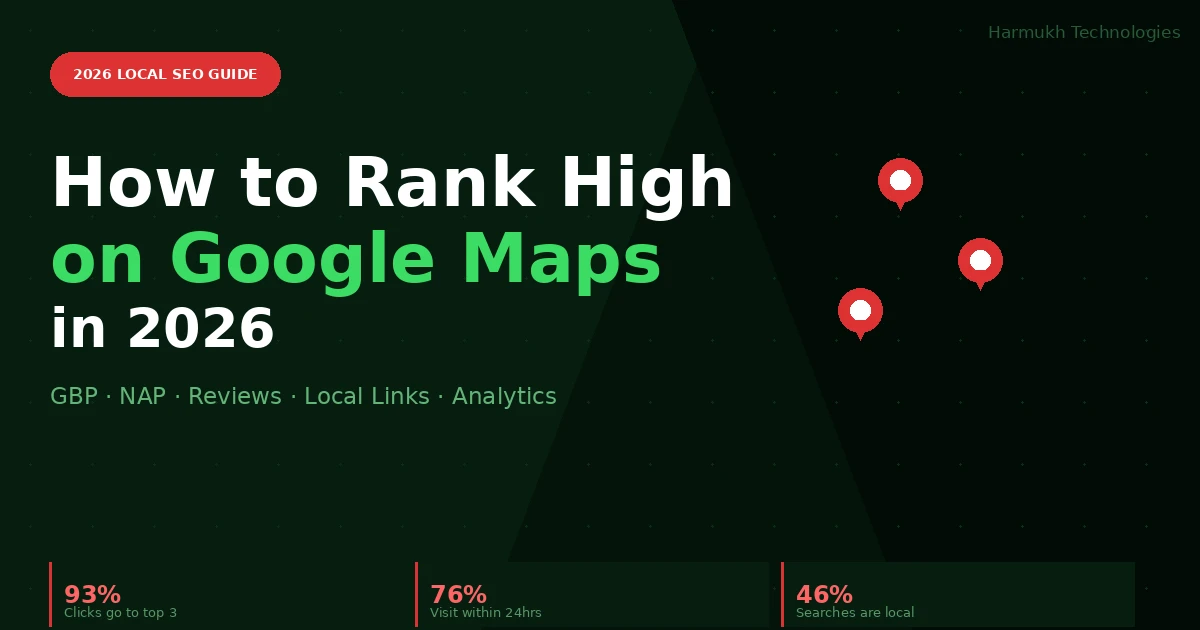
76% of people who search for a local business on their phone visit within 24 hours. 93% of all clicks go to the top three Google Maps results. If your business is not in that top three, you are invisible at the exact moment a customer is ready to act.
This guide covers the five areas that determine Google Maps rankings in 2026 — including the behavioural signals and AI Overviews local layer that most local SEO guides still miss — with specific, actionable steps you can apply immediately.
Local Maps visibility works alongside broader SEO — for the full picture, see our guide on how to rank higher on Google in 2026 and our breakdown of local backlinks and off-page authority.
In This Guide
- How the Google Maps algorithm works in 2026
- Google Business Profile — complete it fully, keep it active
- NAP consistency and review management
- Behavioural signals and entity authority
- Local link building and performance tracking
- Frequently asked questions
1. How the Google Maps Algorithm Works in 2026
Google Maps rankings are determined by three core factors applied simultaneously, with two additional 2026-specific signals layered on top.
Relevance measures how closely your business profile matches the search query — your categories, services, description, and website content all feed this signal. The more precisely your primary and secondary categories, service list, and description match the specific query being searched, the stronger your relevance score.
Distance measures proximity to the searcher’s location or the location specified in the query. You cannot change your physical address, so when competing with nearby businesses, relevance and prominence become your primary levers. One important 2026 nuance: Google now factors in the searcher’s real-time location more precisely than before, meaning a business 200 metres closer to the searcher can displace a better-reviewed competitor for mobile “near me” queries.
Prominence measures how well-known and trusted your business is across the web — reviews, citations, backlinks, and brand mentions all contribute. Think of prominence as your real-world reputation made machine-readable. As we cover in our breakdown of what still works in local SEO, prominence signals have strengthened as a ranking factor with every major algorithm update.
Behavioural signals (2026 addition). Google now factors in how users interact with your listing — click-through rate from the map pack, calls placed directly from search, direction requests, and time spent on your GBP profile before taking action. A business with strong engagement signals will outrank a competitor with a more complete profile but lower interaction rates. This means your profile must not just be accurate — it must be compelling enough to earn the click over nearby competitors.
Entity authority (2026 addition). Google’s Knowledge Graph now treats local businesses as entities with structured relationships — your GBP data, website content, schema markup, and external mentions are cross-referenced to confirm your business is a coherent, trustworthy entity. Inconsistencies between these sources — even minor ones — create entity ambiguity that suppresses map pack rankings. For the full picture of how entity SEO works, see our guide on how SEO works in the AI era.
The February 2026 Core Update specifically impacted local results, further rewarding businesses with consistent, verified entity signals and penalising those with thin profiles, inconsistent information across platforms, or low engagement rates relative to local competitors. Understanding all five algorithm pillars is the prerequisite for every optimisation step below.
2. Google Business Profile — Complete It Fully, Keep It Active
Your Google Business Profile (GBP — formerly Google My Business) is the single most important asset for Maps visibility. An incomplete or inactive profile is the most common reason local businesses fail to appear in the map pack, even when they are physically nearby and genuinely relevant.
Complete every section without exception
Business name must match your real-world branding exactly — no keyword additions (this violates GBP guidelines and risks suspension). Primary category must be the most specific option that accurately describes your core service. Add up to nine secondary categories for additional services — each secondary category makes you eligible for additional query types. Write a 750-character business description with natural integration of your two or three most important service and location keywords in the first 150 characters. Keep hours accurate including holiday variations and update them in advance of closures. List every service with a description and price where applicable. Select all relevant attributes — accessibility features, payment options, amenities — as these feed relevance matching for specific filtered queries.
Visual content drives engagement signals
Profiles with photos receive 42% more direction requests and 35% more website clicks. Upload a high-quality logo (square format, minimum 720×720px), a compelling cover photo that represents your primary service, 10–15 interior shots, exterior photos from multiple angles including street-level approach, product or service images, and at least one short video (30–90 seconds). Add new photos monthly — Google treats photo upload frequency as an active management signal and rewards it with improved visibility.
Post consistently to signal activity
GBP posts expire after seven days, so post two to three times per week — promotions, new services, seasonal offers, events, or useful local content. Each post keeps your profile active and signals to Google that the business is engaged with its audience. For Indian businesses, posts timed around regional festivals, local events, and seasonal demand peaks (pre-Diwali, pre-Eid, summer service demand) consistently generate higher engagement than evergreen content.
AI Overviews local layer (new in 2026)
Google’s AI Overviews now appear for a growing proportion of local queries — “best [service] in [city]” and “which [business type] is open near me” are increasingly answered with an AI-generated summary that pulls from GBP data, reviews, and your website. To appear in these AI-generated local summaries: ensure your GBP description includes specific, factual claims about your service quality and specialisations; keep your services list comprehensive and current; and ensure your website has a well-structured local service page that matches the query intent. Our guide on GEO and AI search optimisation covers the full AI visibility strategy for local businesses.
3. NAP Consistency and Review Management
NAP consistency — the entity trust foundation
NAP consistency — identical Name, Address, and Phone number across every online listing — is a foundational entity trust signal. Even minor inconsistencies (Road vs. Rd., +91 vs. 091, Suite 4 vs. S-4) create conflicting entity signals that weaken Google’s confidence in your business data and suppress Maps rankings.
Audit every major platform: Google Business Profile, Bing Places, Apple Maps, Facebook, JustDial, Sulekha, IndiaMART, your own website contact page and footer, and any industry-specific directories relevant to your sector. Use tools like BrightLocal or Moz Local to identify inconsistencies at scale. Fix them in order of domain authority — start with Google, then Facebook and Apple Maps, then the highest-traffic Indian directories. For businesses operating from the same premises as their registered office, ensure the GBP address exactly matches the address on your GST registration and company website — Google increasingly cross-references these for entity verification.
Review management — volume, velocity, and response
Reviews are one of the most influential ranking signals in the local algorithm and the most visible trust signal to potential customers. Businesses with 50 or more reviews at a 4.5-star average or above consistently outrank competitors in the same location and distance bracket.
Review acquisition: Ask in person immediately after a completed service — the highest-converting moment is within 24 hours of a positive customer experience. Send a follow-up WhatsApp or SMS message with a direct GBP review link. Add a QR code to receipts, invoices, packaging, and in-store signage. For service businesses, train every team member to make the review request a standard part of the service completion. Never offer incentives for reviews — this violates Google’s policies and risks profile suspension.
Review velocity matters as much as volume. Google’s algorithm favours businesses with a consistent flow of recent reviews over those with a large historical count and no recent activity. A business with 20 reviews in the past 30 days will outperform a business with 200 reviews from two years ago in the recency-weighted ranking calculation. Aim for a minimum of 4–8 new reviews per month.
Respond to every review within 48 hours. For positive reviews, personalise the response with a specific reference to what the customer mentioned — generic responses provide no SEO or trust value. For negative reviews, acknowledge the issue professionally, apologise without being defensive, and offer to resolve it offline with a direct contact method. Responses signal active management to Google and rebuild trust with prospective customers reading your profile. Include a natural keyword reference in positive responses where it fits contextually — mentioning your service type and city in responses is indexed by Google.
4. Behavioural Signals and Entity Authority
Behavioural signals — the engagement ranking layer
Google’s local algorithm has incorporated user behaviour data more heavily since 2024. The signals that now influence map pack rankings include: click-through rate from the map pack to your GBP profile, calls placed directly from the search result, direction requests, website clicks, photo views, and the percentage of users who complete a conversion action (call, directions, or visit) after viewing your profile.
To improve behavioural signals: ensure your primary photo is visually compelling and immediately communicates your business type; write a first sentence in your GBP description that functions like an ad headline — specific, benefit-led, and differentiated from competitors; keep your review snippet (the summary displayed under your star rating) positive by responding to and actively managing recent reviews; and ensure your phone number is formatted correctly for click-to-call functionality on mobile.
“Open at time of search” is now a ranking signal. Google gives a visibility boost to businesses that are confirmed open at the moment a user searches. This makes accurate, up-to-date hours — including special holiday hours — a direct ranking factor, not just an accuracy concern. Set holiday hours in advance through GBP’s Special Hours feature. For businesses with variable hours (seasonal service businesses, restaurants with different weekend hours), keeping this updated consistently is worth treating as a weekly task.
Entity authority — the Knowledge Graph layer
Google’s Knowledge Graph treats every local business as an entity with a set of structured attributes — location, category, ownership, services, opening hours, website, and external citations. When these attributes are consistent and verifiable across sources, Google’s confidence in the entity increases and rankings improve. When they conflict — even on minor details — entity authority weakens.
The three most important entity authority actions for Indian local businesses are: ensuring your website has a dedicated contact page with your full NAP details, embedded Google Map, and LocalBusiness schema markup; building citations on the high-authority Indian and global directories that Google’s Knowledge Graph references (JustDial, IndiaMart, Sulekha, Yelp, Foursquare, Apple Maps); and earning at least one authoritative third-party mention per quarter — a local news article, industry association listing, or community organisation feature — that independently confirms your business’s existence and location. For the full schema markup implementation, our AI SEO tools guide covers the technical implementation.
5. Local Link Building and Performance Tracking
Local link building
Local backlinks build the prominence signal that separates businesses with identical relevance and distance profiles. The highest-value local links come from: sponsoring local events or charities and being listed on their websites; joining your Chamber of Commerce and industry associations with a member directory listing; earning coverage in regional news outlets through press releases or expert commentary; partnering with complementary local businesses for cross-promotion; being listed on educational institution community resource pages; and contributing guest content to local business publications or industry blogs.
These links carry disproportionate authority because they are genuine editorial placements from within your community — exactly what Google’s prominence evaluation is designed to reward. For Indian businesses, regional language news sites, local trade association directories, and city-specific business listing portals are often underutilised sources of high-relevance local links. Our backlinks in SEO guide covers local link building strategy in depth alongside the broader off-page authority picture.
Performance tracking — monthly review cycle
Track performance monthly across three data sources. In Google Business Profile Insights, monitor total profile views, the search queries people used to find you (both direct and discovery searches), and customer actions — calls, direction requests, and website clicks. In Google Analytics 4, track organic local traffic trends, top landing pages from local search, and conversion rates from local traffic. Use a local rank tracker such as BrightLocal or Local Falcon to monitor your map pack position for key service-plus-location keyword combinations across your target geography.
These three sources together tell you whether your optimisation is working and where the next highest-impact improvements lie. Our 90-day SEO plan builds this monthly review cycle into a structured improvement framework — the same approach we apply to local campaigns for Indian businesses across every sector.
Your Next Steps — In Order of Priority
- Claim and fully complete your Google Business Profile — every section, today
- Conduct a NAP consistency audit across all directories — this week
- Set up a systematic review request process — this week
- Update your Special Hours for all upcoming holidays — this week
- Add LocalBusiness schema markup to your website contact page — this month
- Begin local link building through Chamber of Commerce and community sponsorships — this month
- Set up monthly performance tracking across GBP Insights, GA4, and a rank tracker — ongoing
Google Maps optimisation is not a one-time project. The businesses that hold top-three positions consistently are those that treat it as an ongoing discipline — updating their profile, responding to reviews, earning new citations, and measuring results month by month.
If you need help building or auditing your local SEO strategy, explore our digital marketing roadmap for 2026 or learn what to look for when hiring an SEO consultant to manage it for you. For the most current GBP feature documentation, Google’s official Business Profile Help Centre is the authoritative primary source.
Frequently Asked Questions: Google Maps Ranking 2026
How do I rank higher on Google Maps?
The five most impactful actions to improve Google Maps rankings are: fully complete every section of your Google Business Profile including all services, attributes, and photos; ensure your Name, Address, and Phone number is identical across every online directory; build a consistent flow of genuine customer reviews (4–8 per month minimum); earn local backlinks from community organisations, Chamber of Commerce, and regional publications; and keep your hours accurate and updated including special holiday hours which directly affect your “open now” ranking boost.
How many Google reviews do I need to rank in the map pack?
There is no fixed threshold, but businesses with 50 or more reviews at a 4.5-star average consistently outrank competitors with fewer reviews in the same location and category. More important than total count is review recency — a consistent flow of 4–8 new reviews per month signals active, current customer engagement to Google’s algorithm. A business with 200 old reviews and no recent activity will often be outranked by a competitor with 40 fresh reviews from the past 60 days.
Does my website affect my Google Maps ranking?
Yes, significantly. Your website’s content is one of the primary inputs for Google’s relevance assessment of your GBP listing. Specifically: your homepage and service pages should include the same primary and secondary keywords as your GBP categories; your contact page should have consistent NAP information matching your GBP exactly; and your site should have LocalBusiness schema markup that confirms your business type, location, and service area. A well-optimised website can meaningfully strengthen your map pack position even when your GBP profile is otherwise similar to nearby competitors.
What is NAP consistency and why does it matter for Google Maps?
NAP stands for Name, Address, and Phone number. NAP consistency means these three pieces of information are identical across every platform where your business is listed — Google Business Profile, your website, Facebook, JustDial, IndiaMART, Sulekha, Apple Maps, and every other directory. Even minor differences — “Road” vs “Rd.”, “+91” vs “091”, “Private Limited” vs “Pvt Ltd” — create conflicting entity signals that reduce Google’s confidence in your business data and suppress map pack rankings. Audit and fix all inconsistencies before any other optimisation work.
What are behavioural signals in Google Maps SEO?
Behavioural signals are the actions users take when they encounter your Google Maps listing — clicking through to your profile, calling directly from search results, requesting directions, viewing photos, and visiting your website. Google interprets high engagement rates as evidence that your listing is genuinely relevant and satisfying to searchers, and rewards it with better map pack placement. To improve behavioural signals: use a compelling primary photo, write a benefit-led first sentence in your description, and ensure your phone number is formatted for easy mobile click-to-call.
Do Google Maps rankings differ from regular Google search rankings?
Yes — Google Maps (local pack) rankings are determined primarily by Relevance, Distance, and Prominence, whereas regular organic rankings are determined primarily by content quality, backlinks, technical SEO, and E-E-A-T signals. There is significant overlap: a strong website with good SEO helps both local pack and organic rankings. But the local pack can be won by a business with a modest website if its GBP profile, reviews, and local citations are strong — and conversely, a business can rank well organically while not appearing in the local pack at all. Both tracks benefit from consistent investment, as covered in our integrated SEO and SEM strategy guide.
How has Google Maps ranking changed in 2026?
Three significant changes affect Google Maps rankings in 2026. First, behavioural signals — click-through rate, calls, direction requests — now carry greater ranking weight, meaning profile quality and compelling presentation matter as much as data completeness. Second, the “open at time of search” signal has strengthened — businesses confirmed open at the moment of a query get a visibility boost, making accurate real-time hours management a direct ranking factor. Third, AI Overviews now appear for a growing range of local queries, pulling from GBP data and reviews — businesses with specific, fact-rich GBP descriptions and strong review sentiment appear in these AI-generated local summaries.